Structurelint
A standalone linter that validates an existing project's file/folder structure against rules you define — no scaffolding, no code generation. It only inspects what is already on disk and reports anything that does not match.
It was extracted from an ESLint structure rule so structure validation can run in parallel with the rest of your tooling instead of being sequenced inside the ESLint pipeline. It is not tied to React (or any framework) — the rules describe whatever layout your JS/TS project uses.
Rules are recursive — a rule can reference itself or other named rules to describe nested structures (e.g. components/Button/nested/Icon, where nested reuses the same PascalCase component rules as the root components).
Installation
npm install --save-dev @ladamczyk/structurelint
Or run it directly without installing:
npx @ladamczyk/structurelint
List all available options:
npx @ladamczyk/structurelint -h
Command
structurelint [options]
| Option | Default | Description |
|---|---|---|
-p, --path <path> | structureRoot | Root folder to validate (overrides structureRoot) |
--json | — | Emit machine-readable JSON instead of text |
Exits with code 0 when the structure is valid, 1 when there are violations, and 2 on a usage error (e.g. a missing config). Use --json for machine/AI consumption.
Config
Create a structure.config.ts (or .js/.mjs) at your project root that default-exports a config — it is auto-discovered, there is no way to point at a different path. .ts configs are loaded directly, no build step needed.
The config default-exports an object: an optional structureRoot (defaults to .), an optional ignorePatterns list, the structure array (allowed children of the root), and an optional rules map of reusable named rules referenced via { ruleId }.
A rule is a folder rule when it has children, otherwise it is a file rule — to allow an empty folder, give it children: []. The name is a literal or a template:
Token in name | Matches |
|---|---|
{PascalCase} | Button, ButtonGroup |
{camelCase} | useStore, fetch |
{kebab-case} | my-feature |
{snake_case} | my_module |
{SCREAMING_SNAKE_CASE} | MAX_VALUE |
{anyCase} | any single segment |
(ts|tsx) | one of the listed alternatives |
* | any run of characters in a segment |
import type { IStructureConfig } from '@ladamczyk/structurelint';

const config = {
  structureRoot: 'src',
  ignorePatterns: ['*.d.ts', '*.stories.tsx'],
  rules: {
    // A single PascalCase component folder, recursive via `nested/`.
    component_folder: {
      name: '{PascalCase}',
      folderRecursionLimit: 5,
      children: [
        { name: 'index.ts' },
        { name: '{PascalCase}.(ts|tsx)' },
        { name: '{PascalCase}.spec.(ts|tsx)' },
        { ruleId: 'nested_folder' },
      ],
    },
    // `nested/` reuses the same component rules — this is the recursion.
    nested_folder: {
      name: 'nested',
      children: [{ ruleId: 'component_folder' }],
    },
  },
  structure: [
    {
      name: 'components',
      children: [{ ruleId: 'component_folder' }],
    },
  ],
} satisfies IStructureConfig;

export default config;
With the config above, components/Button/nested/Icon/Icon.tsx is valid, while components/Button/nested/icon (lowercase) is reported as an unexpected folder.
{ ruleId: 'name' } can reference a rule from rules — including itself, which is how nested/recursive structures are described. folderRecursionLimit caps how deep a self-referential rule keeps validating along a branch. required: true on a rule makes at least one matching entry mandatory in its parent folder.
Violations
Each violation is { path, type, message, expected }:
type: 'unexpected'— a file/folder matched no rule at its level;expectedlists the allowed name patterns there.type: 'missing'— arequiredrule had no matching entry;expectedis that rule's name.
JavaScript API
The package also exports an ESM/CJS API. lint runs the same validation and returns structured results without printing or exiting:
import { lint, format } from '@ladamczyk/structurelint';

const result = await lint({ path: 'src', stats: false });

result.passed; // boolean — no violations
result.root; // the validated root folder
result.violations; // Array<{ path, type: 'unexpected' | 'missing', message, expected }>

process.stdout.write(format(result)); // or format(result, true) for JSON
Pass config to validate against a config object you already hold, which skips discovery entirely — no structure.config.* is looked for, so lint() works in a project that has none. This is how QoQ drives it: the structure lives inline in qoq.config.* and is handed straight over.
const result = await lint({ config: { structureRoot: 'src', structure }, stats: false });
Additional named exports: validate, loadConfig, templateToRegex, globToRegex, isIgnored, DEFAULT_PATH, DEFAULT_IGNORE, DEFAULT_CONFIG_FILES, and the TypeScript types (IStructureConfig, IStructureRule, IRuleRef, TStructureNode, IViolation, ILintOptions, ILintResult).
Usage statistics
Structurelint counts its own runs, and only with your say-so. The first interactive run asks; the answer is stored as stats: true | false in your structure.config.* (spliced into your own source, so comments and formatting survive) and never asked again — edit or delete the key to change it. The JavaScript API never prompts: stats is a required boolean on lint(), so the calling host states its own user's consent.
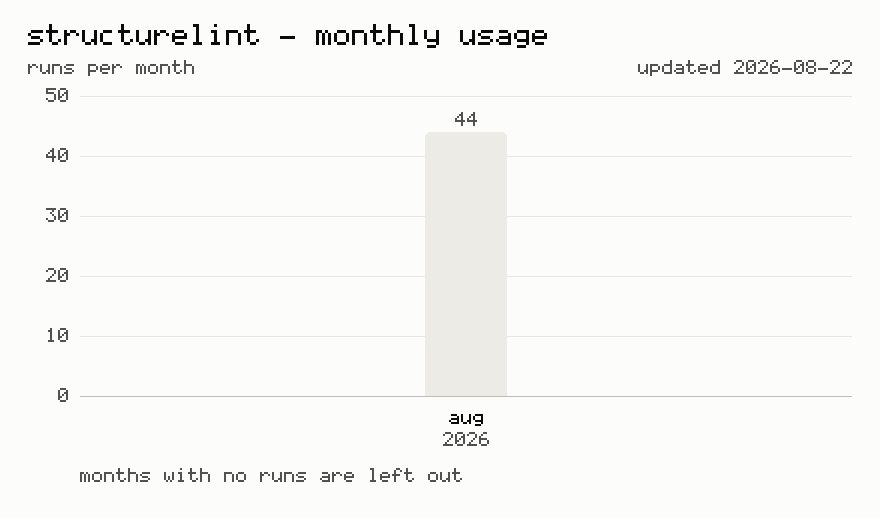
A counted run posts one constant to https://stats.adamczyk.ovh, the same body every time, whether it came from the CLI or the API:
{ "tool": "structurelint", "options": [] } // `options` is always empty
Where an outbound POST never leaves the network, the same run counts as a plain image GET instead — https://adamczyk.ovh/img/stats/pixel.png?tool=structurelint — which carries the same single value and nothing more.
Never sent: your code, file names, paths, config contents, violations, the flags you typed, project or package names, and nothing identifying you or your machine. The send is fire-and-forget with a 2s cap, so a slow or dead endpoint can't hold a run up. Runs that can't ask — CI=true, a pipe, --json, or a project with no config file to record the answer in — are never prompted and never counted.
Changelog
Release history lives in the repo — Releases and CHANGELOG.md.